DeckTradr Pro and Card Shop workspaces
Manage trading card inventory from intake to sale
Keep raw cards, graded cards, sealed products, and custom inventory tied to quantity, condition, acquisition cost, custom price, binder location, labels, and the transactions that move stock.
Personal inventory requires Pro. Team Pro access also follows assigned permissions. The Card Shop workspace is a managed pilot or application, not an instant self-serve activation.
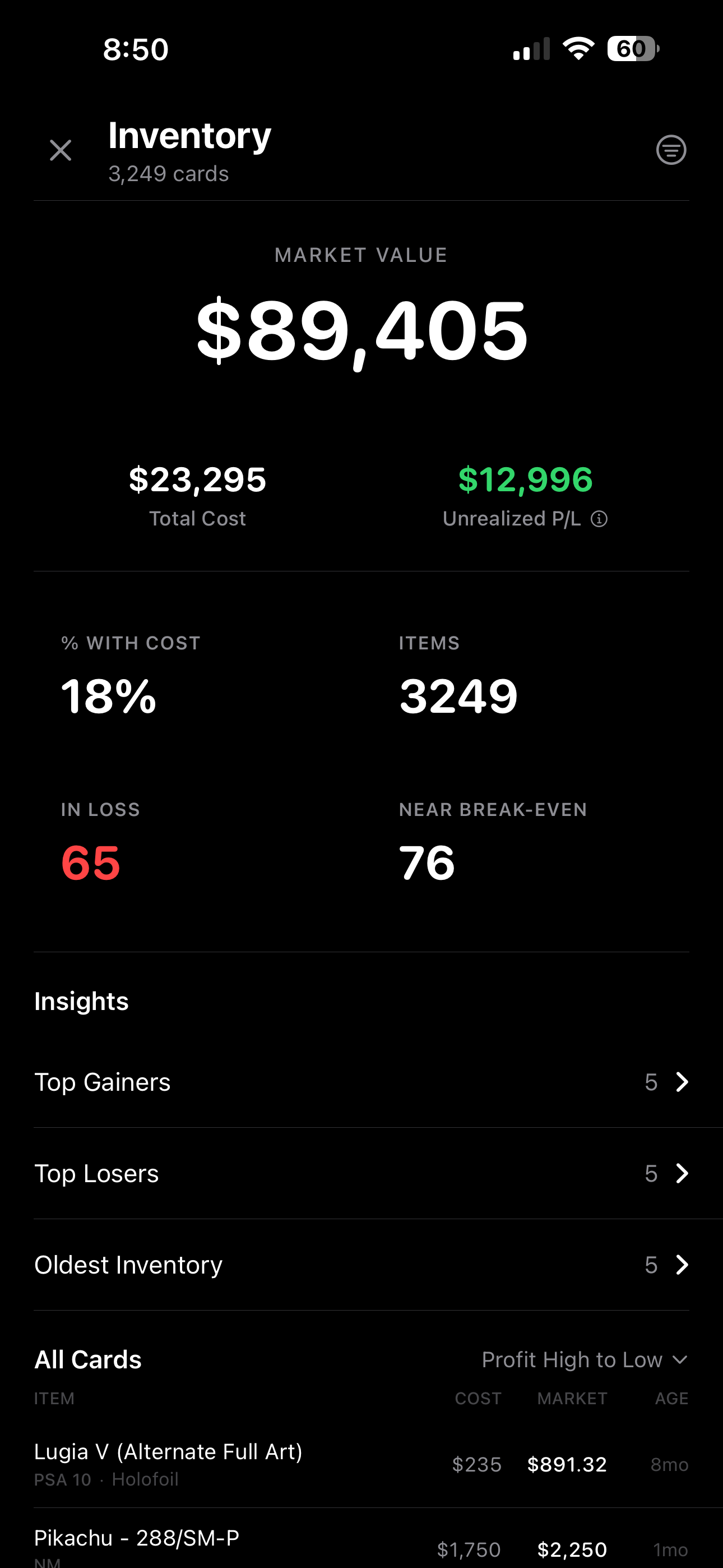
Inventory operations
Keep identity, quantity, cost, and movement together
Inventory is most useful when a product record explains what the item is, where it sits, what it cost, and which transaction changed the quantity.
- 01
Add the exact item
Search the product catalog and add raw, graded, sealed, or custom inventory with the applicable condition and quantity.
- 02
Record the operating details
Save acquisition cost, custom price, binder location, barcode or label details, and other supported inventory fields.
- 03
Work from filtered inventory
Filter by binder, item type, or profit label; sort by profit, value, cost, age, name, or daily change; and let supported transactions update stock.
Released inventory tools
A practical catalog for vendor and shop operations
- Raw, graded, sealed, and custom inventory records
- Quantity, condition, acquisition cost, custom price, and binder fields
- Inventory value, cost, and profit views
- Filters and sorting for daily operating decisions
- Barcode, label, bulk-label, and transaction-driven inventory workflows
Plain answers
TCG inventory management questions
Which inventory item types can DeckTradr manage?
The released inventory workspace supports raw cards, graded cards, sealed products, and custom inventory records.
Which inventory details can I record?
Supported records can include quantity, condition, acquisition cost, custom price, binder location, and barcode or label details where applicable.
Does DeckTradr calculate dollar-cost averages when inventory is added?
This page does not claim a dollar-cost averaging workflow. It describes the released acquisition-cost, value, profit, and transaction-linked inventory fields currently available.
Can I import inventory by pasting invoice text?
No invoice or pasted-text import is claimed here. The released web workflow supports manual product search and entry plus transaction-linked inventory actions.
Is Card Shop inventory an instant self-serve upgrade?
No. Personal inventory is available with Pro, while the active Card Shop workspace follows a managed pilot or application and setup process.
Start with personal Pro inventory
Put vendor inventory, cost, labels, and transactions in one workspace.
Use the standard Pro trial for the personal vendor workspace. Card Shop operations follow a separate managed setup path.
- Raw, graded, sealed, and custom inventory
- Cost, value, profit, binder, barcode, and label workflows
- Transaction-driven quantity changes in supported flows
Eligibility is confirmed at checkout. Taxes may apply.