Plus and Pro slab scanner
Scan graded cards and review the slab match before saving
Use DeckTradr’s mobile slab-scanning flow to identify supported graded cards, inspect the proposed catalog match, and keep the confirmed grading details with your collection record.
Slab scanning is included with Plus and Pro. The first-month Plus price applies only to eligible first-time web Plus subscribers and is confirmed at checkout.
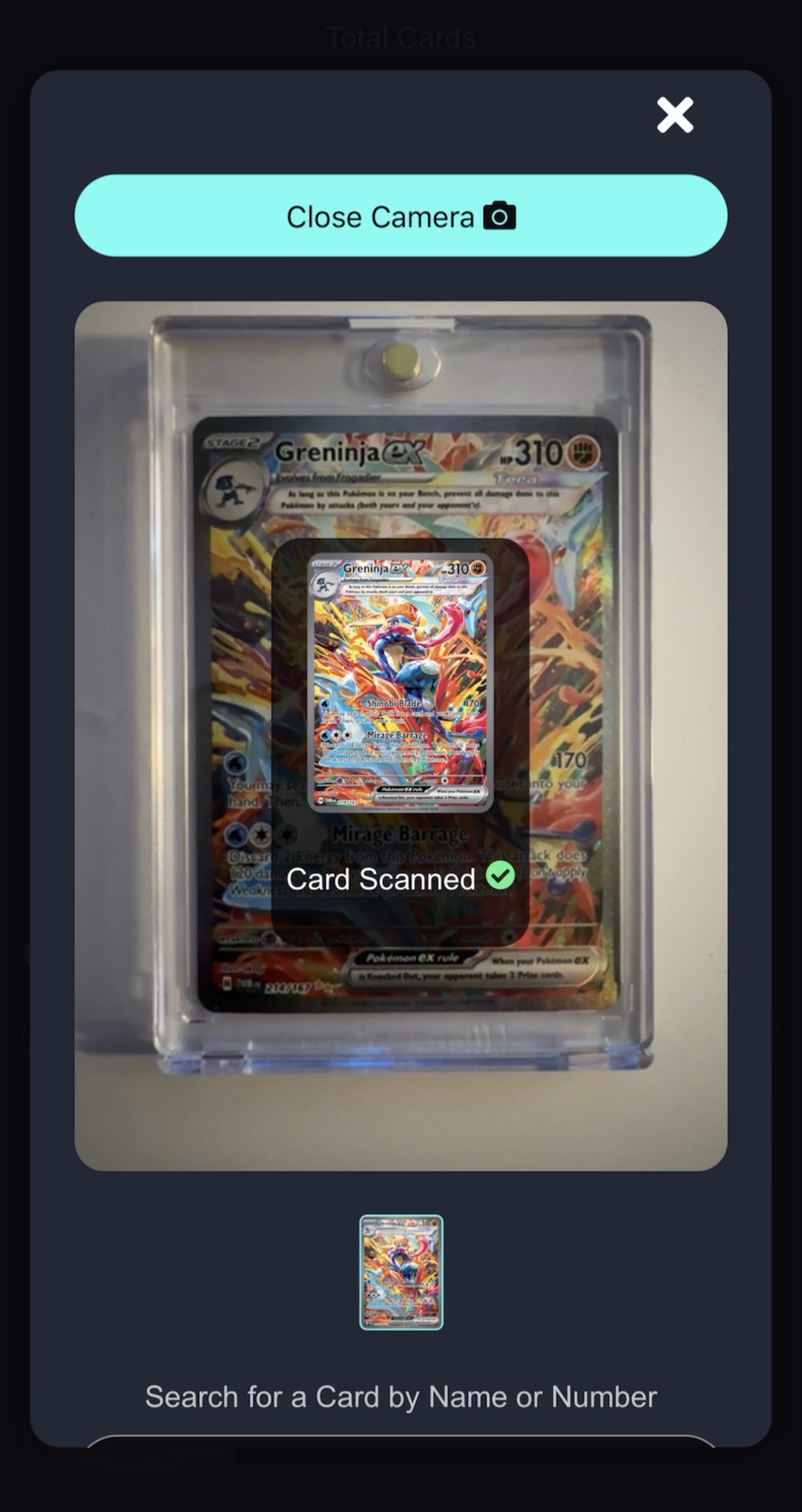
Recognition is a starting point. Confirm the card and grading details against the slab before saving.
Slab intake workflow
Use the camera for a starting point, then keep the review in control
A scan is useful when it shortens card lookup without hiding uncertainty. DeckTradr keeps the proposed match reviewable before the graded record is added.
- 01
Frame the graded card
Open the released slab-scanning flow in the DeckTradr mobile app and photograph a supported slab with the card and label as clear as possible.
- 02
Review the proposed match
Check the card identity against the slab in hand, then confirm or correct grading details such as grading company and grade before saving.
- 03
Add the confirmed record
Save the reviewed graded card to your collection and use available graded value or recent-sale context where DeckTradr has matching data.
Released paid feature
A reviewable path from a slab photo to a graded collection record
- Slab-scanning access with Plus and Pro
- Photo-based proposed matches for supported graded cards
- A review step before the collection record is saved
- Grading company and grade on the confirmed collection record
- Available graded values kept separate from raw-card values
Plain answers
Graded card scanner questions
Does DeckTradr have a graded card or slab scanner?
Yes. Plus and Pro include a mobile slab-scanning flow for supported graded cards. Review the proposed match and grading details before adding the record to your collection.
Which membership includes slab scanning?
Slab scanning is included with DeckTradr Plus and Pro. It is separate from the basic raw-card scanner available on the Free plan.
Does a slab scan verify the card, certificate, or holder is authentic?
No. DeckTradr does not claim that the slab scanner authenticates a card or holder, verifies every certificate, or guarantees a match. It is a recognition and collection-entry aid that requires review.
Will every grading company, label, and card scan correctly?
No. Recognition and catalog coverage vary, and glare, focus, framing, label design, and image quality can affect the proposed result. Confirm the card, grading company, and grade against the slab in hand.
Can I still scan raw cards for free?
Yes. DeckTradr’s basic phone-camera scanner for supported raw cards has no monthly scan quota on the Free plan. Slab scanning is a separate Plus and Pro feature.
Unlock slab scanning
Add graded-card scanning and deeper collection research.
Plus includes slab scanning alongside recent sales, alerts, unlimited binders, CSV export, and the current monthly AI-tool allowances.
- Slab scanning for supported graded cards
- Recent sales, price alerts, and market insights
- Unlimited binders and CSV export
For eligible first-time web Plus subscribers. Eligibility is confirmed at checkout. Taxes may apply.